AI Anime Storyboard Generator
Script in, anime storyboard out — with the same character in every cut.
No credit card required · pay once · never expires
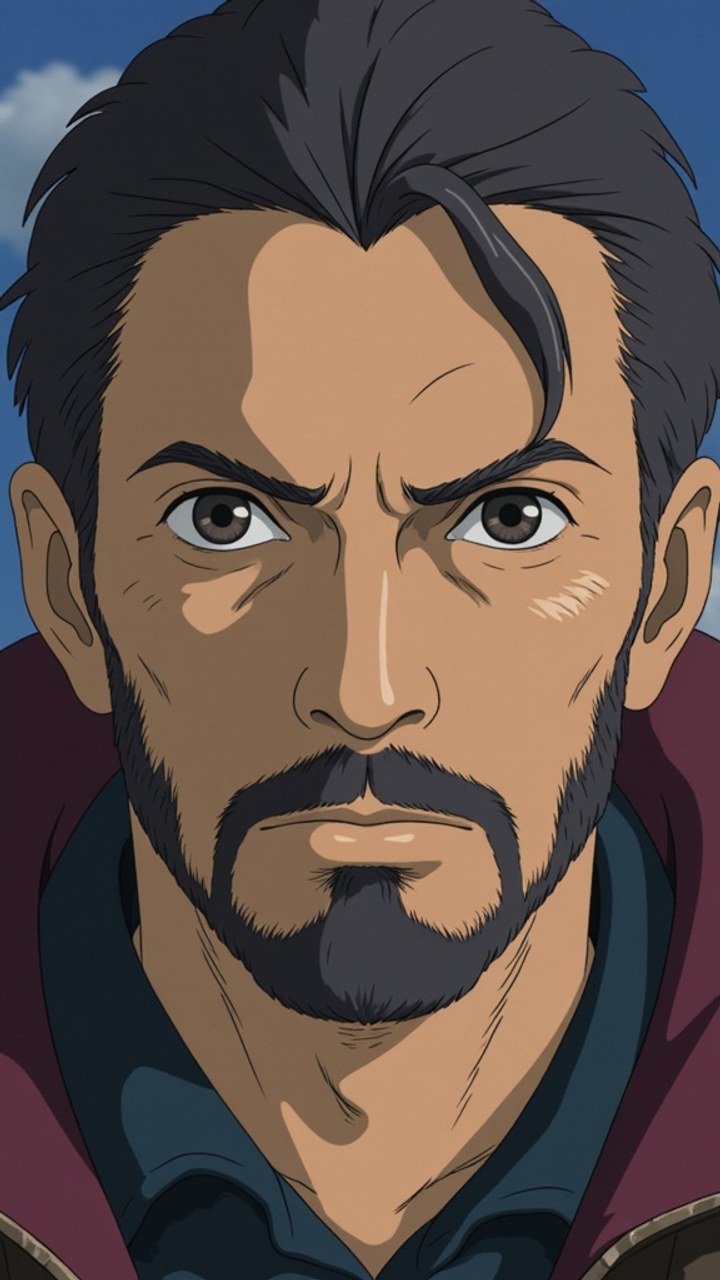
Anime is planned on paper long before anyone animates a frame. The storyboard — the 絵コンテ, or e-konte — is the most authoritative document in the production: it fixes the cut order, the camera work, the dialogue, and the duration of every shot, and the animation team works directly from it. A board that is vague is a production that drifts.
That makes anime pre-production unusually storyboard-heavy, and unusually punishing for tools that cannot hold a character steady. StoryboardAI generates anime-style panels from your script and keeps the same character recognisable from cut to cut, so the board reads as one continuous sequence rather than a set of loosely related drawings.
Why character drift ruins an anime board
Most AI image tools reinvent a face every time you prompt them. In a single illustration nobody notices. Across a 12-cut sequence it is fatal — the viewer cannot tell whether two panels show the same person, and the board stops functioning as a plan. Anime makes this worse than live action does, because stylised faces carry identity in a handful of lines: a slightly different eye shape reads as a different character outright. StoryboardAI addresses this by training an actual model on your character rather than re-describing them in each prompt, which is why the face survives a change of angle, lighting, or shot size.
What this is good for — and what it is not
This produces previsualisation: pitch boards, animatics, client and committee approvals, festival and funding decks, and personal projects that need to look finished. It is not a substitute for a professional e-konte drawn by a director, which encodes timing and craft decisions no generator infers from a script. Treat the output as a fast, consistent first pass you direct and revise — the same role a rough board plays before a real one is drawn.
From script to animated cut
Paste a script or upload it as PDF, FDX, Fountain, or DOCX and StoryboardAI breaks it into shots, each with a visual description, framing, and duration. Choose Anime as the style and how many panels you want (4 to 20), then render. Any single shot can be rewritten and regenerated on its own without touching the rest of the board. When the sequence works, animate individual panels into moving cuts and export the result as a video animatic, a print-ready PDF, or an editing timeline (FCPXML + EDL) for Premiere, Final Cut, or Resolve.
Frequently asked.
Can I use my own character design?+
Yes. Upload 10–20 reference images of your character and StoryboardAI trains a model on them, after which that specific design appears across every panel you generate. If you would rather not train anything, you can cast a free pre-trained character template instantly and start boarding straight away.
Do I need to be able to draw?+
No. You write or upload the script and direct the output — choosing shots, framing, and revisions. Nothing is drawn by hand at any point.
Can the anime panels be animated?+
Yes. Any panel can be animated into a short moving cut with camera control — movement, sequencing, or motion derived automatically from the script — and the finished cuts chain into a video animatic that holds each shot for its scripted duration.
What does the anime style actually look like?+
Soft hand-painted backgrounds and clean cel-style character rendering — the warm, illustrative end of anime rather than a hard-edged modern digital look. It is one of 9 styles, so the same character and the same script can also be rendered as comic book, 3D pre-viz, manga, watercolor, or photoreal cinematic.
How much does it cost?+
Signing up gives you 50 free credits and needs no credit card. After that, credit packs are a one-time purchase starting at $7 — there is no subscription, and credits never expire.
Board your first sequence free.
50 credits on signup, no credit card. Pay once if you need more — never a subscription.
Enter the Studio